Connecter · voice translation

Your language.
The whole world.
No barriers.

Planning a trip or conversations with people who do not speak your language? Connecter offers advanced live translation: on the street, in a classroom, over the telephone network and on calls between Connecter users.


20 languagesTranslate between any pair
3 waysSpeak your own language
A traveller talking to a local resident using a smartphone
In a new city — confidence in every conversation.
A tourist talking to a hotel receptionist using voice translation
01 / Face to face

An unfamiliar language.
A clear conversation.

Order coffee, ask for directions or explain something at a hotel. Connecter translates speech as you talk or in complete sentences and reads the translation aloud. You hear the other person's reply in your language too. No need to show the screen: turn on speakerphone and talk.

In cafés and restaurantsAt a hotelIn a shopOn the street
For example, at check-in

“Can I leave my luggage until this evening?”

“Can I leave my luggage until this evening?”

How to do it:

It is simple: tap your language and speak. Within one or two seconds, Connecter reads the translation aloud in your chosen language and displays text in both languages. Fast, convenient and responsive. That is Connecter.
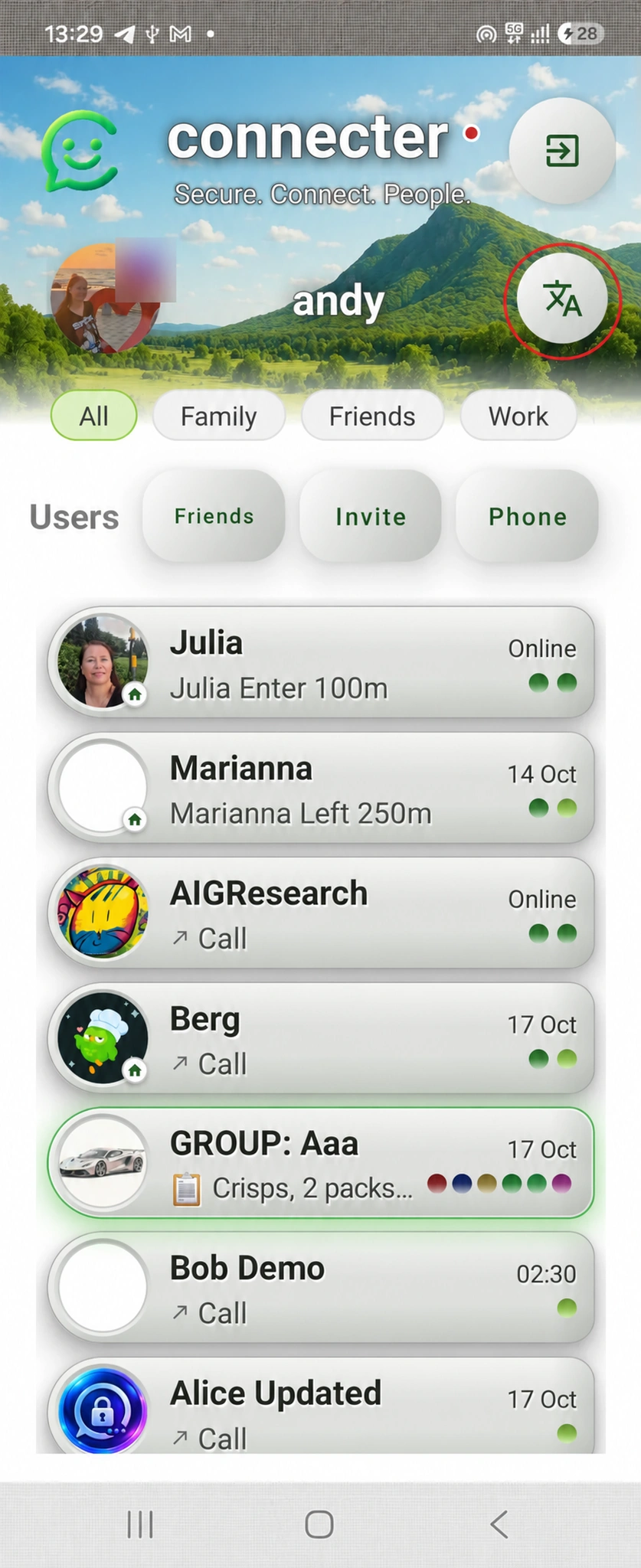
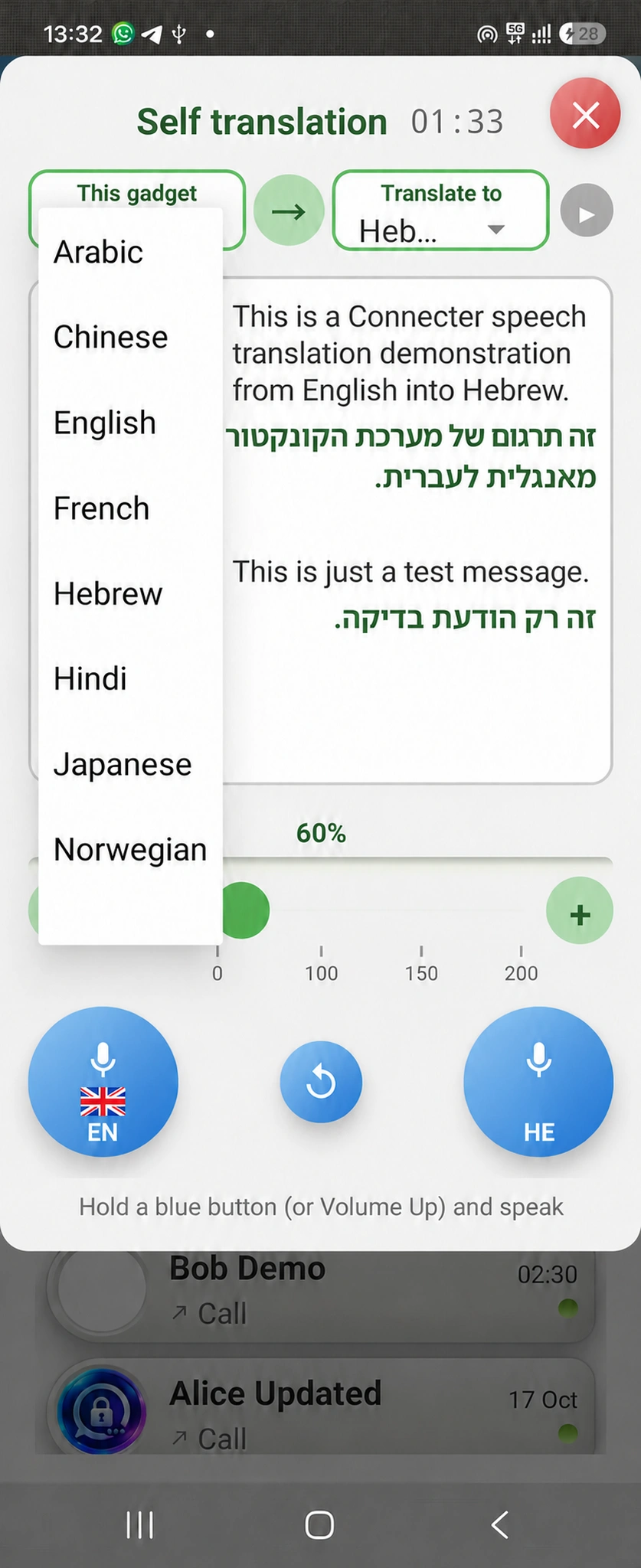
Fig. 1. Open the translator
Fig. 1Open the translator. Tap the button highlighted in red at the top right of the screen. This opens face-to-face translation, letting you talk to someone in another language without an ordinary translator.
Fig. 2. Choose your language
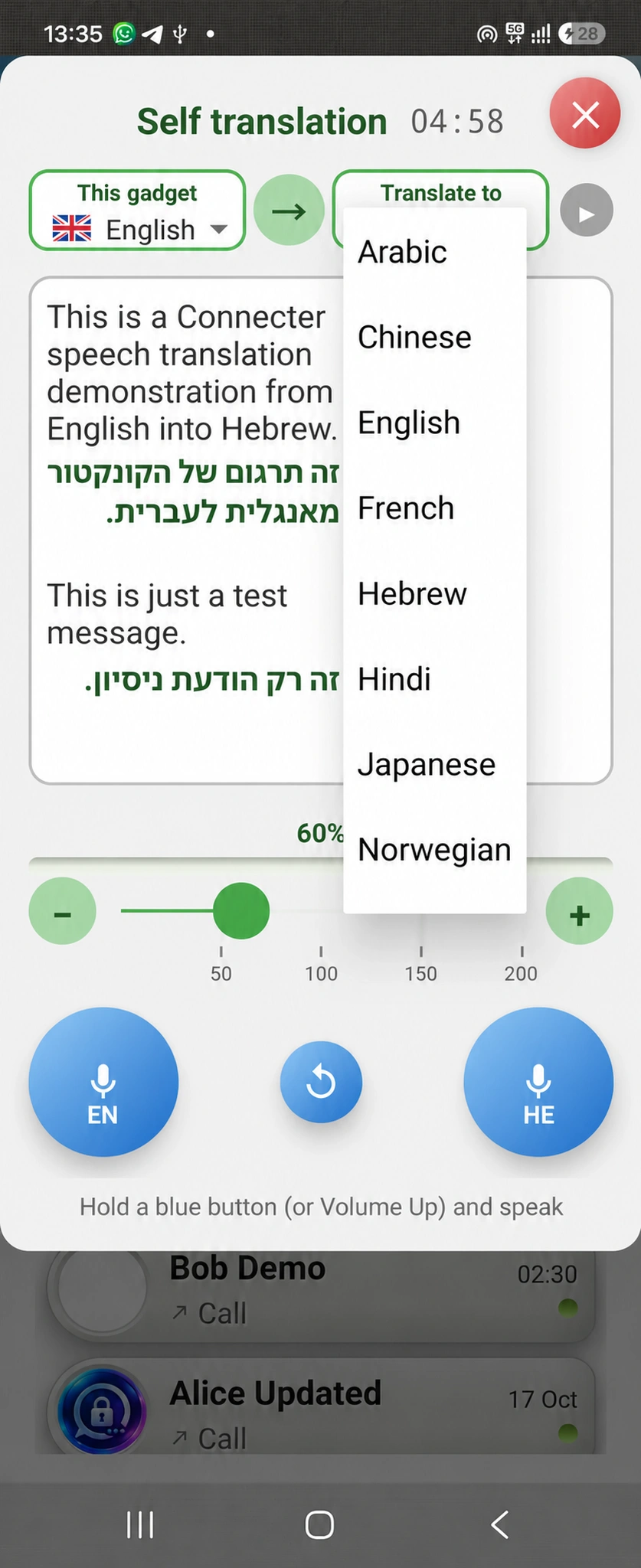
Fig. 2Choose your language. In the left-hand menu, select the language you will speak, for example English. Connecter will recognise your speech in this language.
Fig. 3. Choose the other person's language
Fig. 3Choose the other person's language. In the right-hand menu, select the language to translate your words into, such as English, German or French. The other person receives the translation in that language. Make sure you tap the grey recording button to the right of the language menus.
Fig. 4. Start speaking
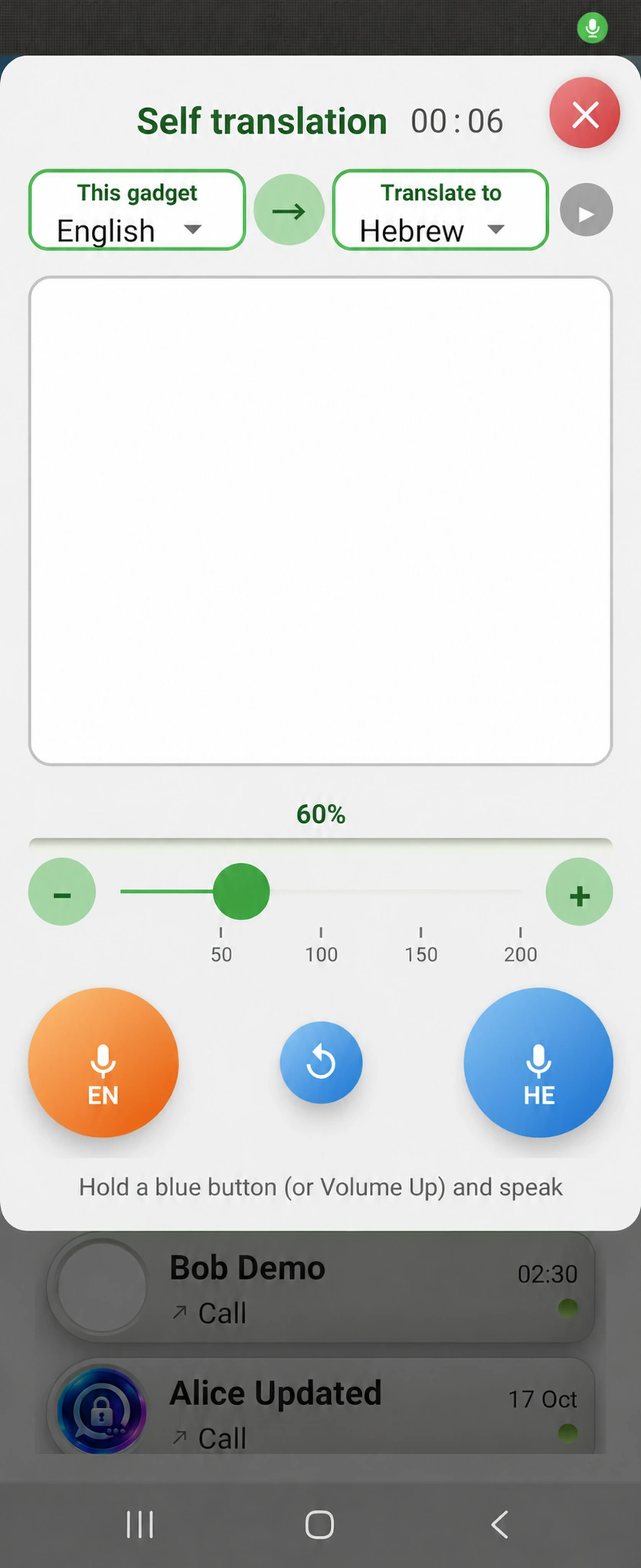
Fig. 4Start speaking. Tap the blue button at the bottom of the screen and say your message in the selected language. Speak clearly and naturally in your normal voice. You can say a short phrase or several sentences. When you finish, Connecter recognises your words and prepares the translation.
Fig. 5. Check the translation and receive a reply
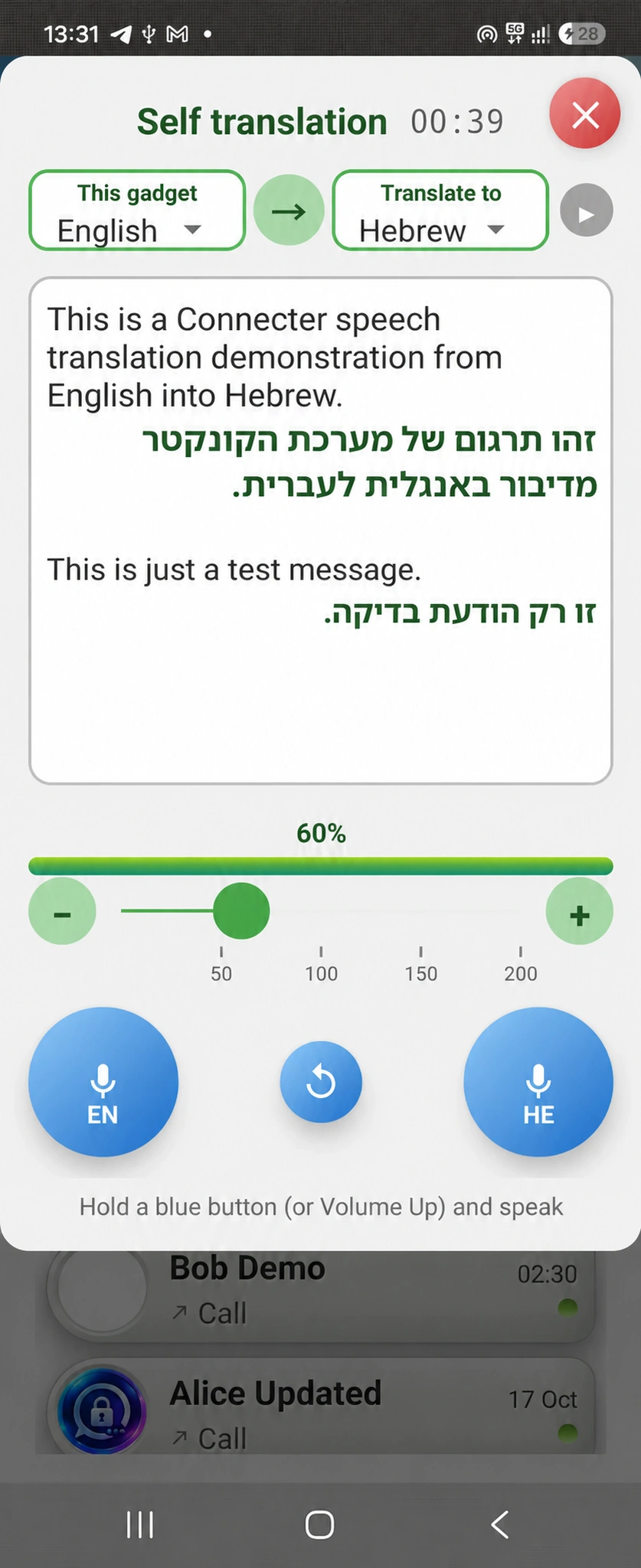
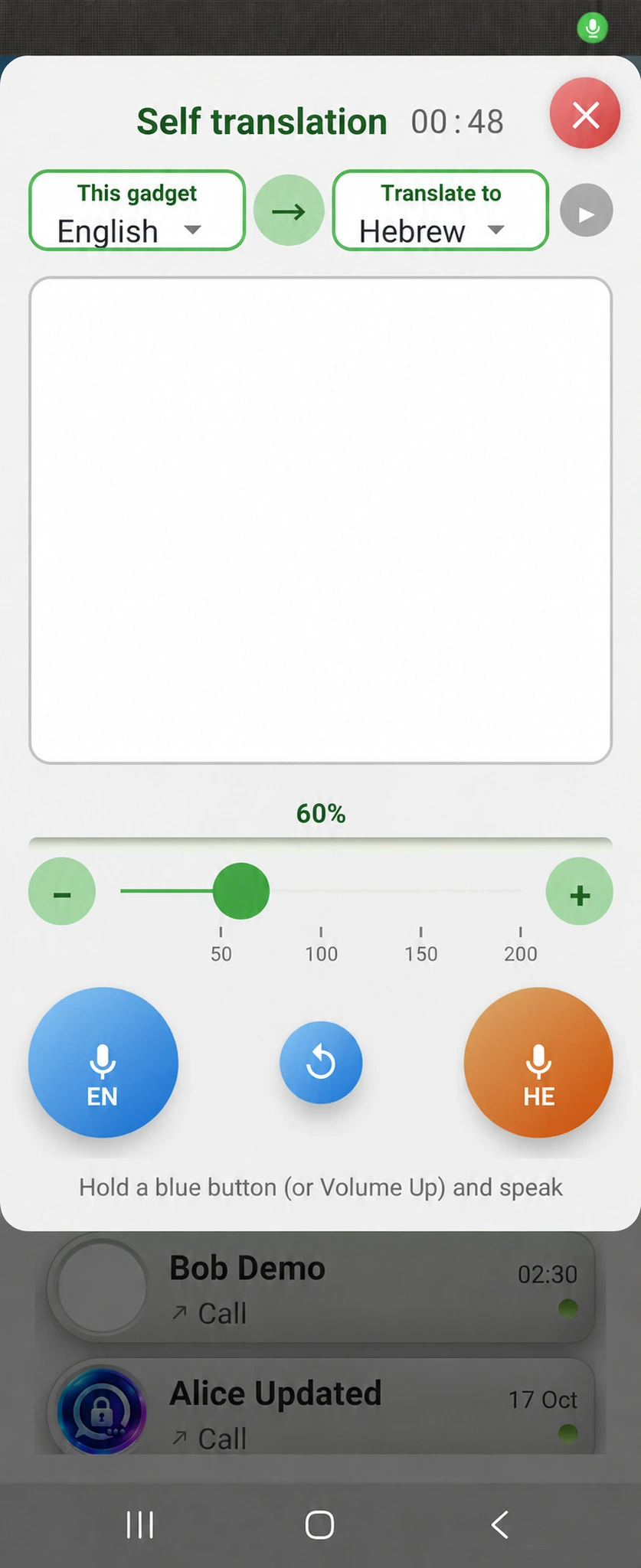
Fig. 5Check the translation and receive a reply. Two texts appear: your recognised words and their translation into the other person's language. Check the original. If recognition is incorrect or you want to change your message, say it again. The other person can then reply by holding the right-hand button and speaking their language. You see their reply translated into English. Continue the conversation by taking turns with the appropriate buttons.
Fig. 6. Adjust volume and replay a message
Fig. 6Adjust volume and replay a message. Move the green slider right or left to increase or decrease playback volume. To hear the last message again, tap the blue button in the centre of the screen.
Fig. 7. Open translation history
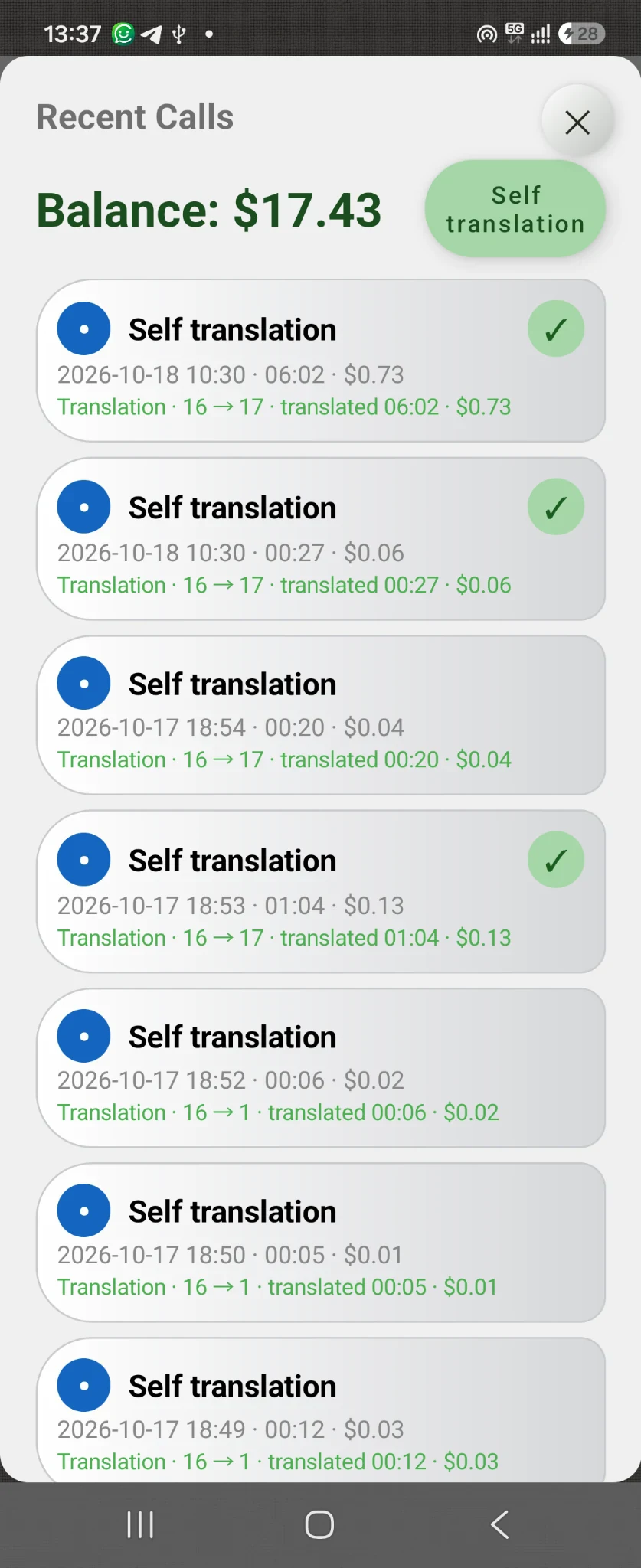
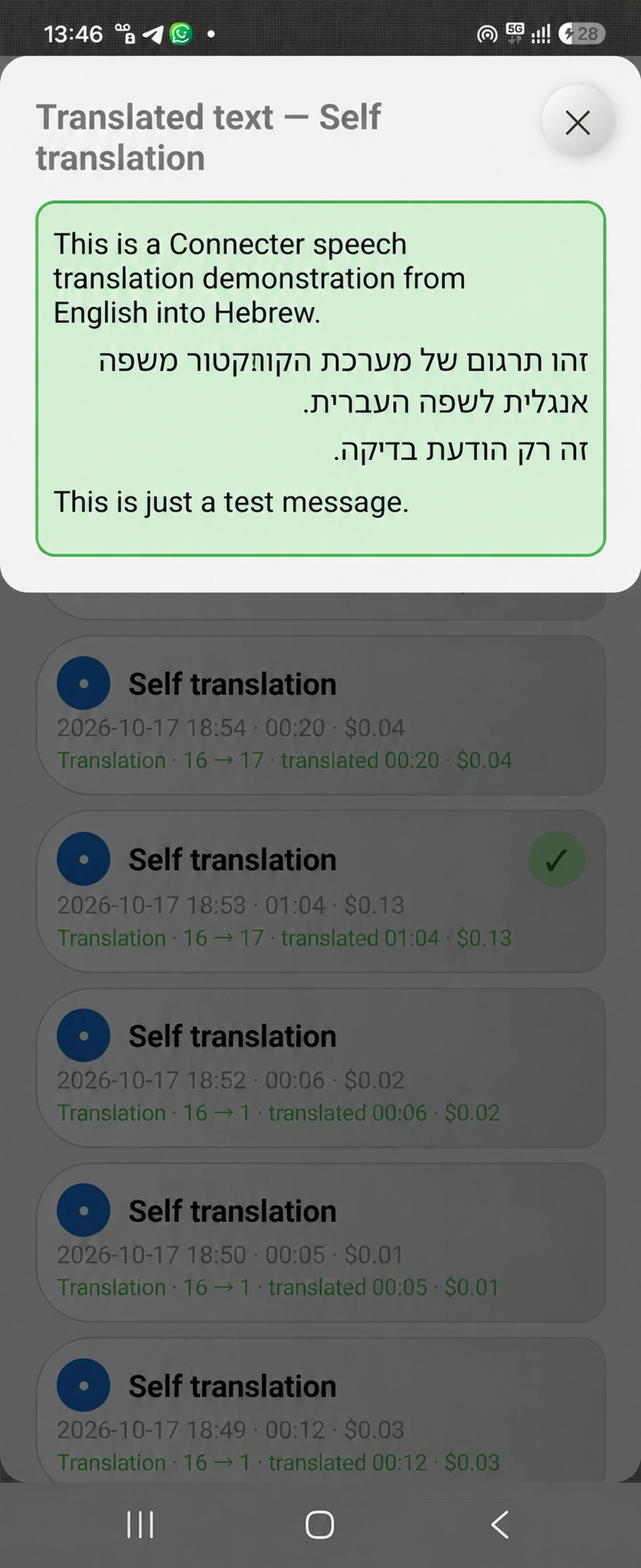
Fig. 7Open translation history. After the conversation, open the translation history to view the saved text. Useful if the other person gave an address, phone number, route or other important information. You do not have to remember everything — reread the details whenever you need them.
Fig. 8. Use the saved translation
Fig. 8Use the saved translation. Open the relevant conversation to reread messages in both languages and check details. For example, return to instructions about who to contact, which number to call or how to reach a destination. Connecter helps you communicate across languages and keep important information from the conversation.
A traveller calling a hotel receptionist's ordinary phone from her smartphone
02 / To an ordinary number

With Connecter, call and speak in any language over the ordinary telephone network

Call ordinary numbers locally or abroad. Speak your own language while the other person hears a translation into theirs. Their reply is translated back for you. Connecter translates between any pair of its 20 supported languages.

The other person does not need ConnecterTwo-way translation
For example, calling a restaurant

“Hello! Could I book a table for two?”

“Hello! Can I book a table for two?”

How to do it:

  1. Open ordinary number calls in Connecter and dial the other person's number.
  2. Choose your language and theirs, then enable translation.
  3. Speak your own language and listen to translated replies. The other person receives an ordinary phone call — they do not need to install Connecter.

Two people in different countries talking through Connecter in their own languages
03 / Communication within Connecter

In-app calls — translation into other languages is even more convenient and effective

If you regularly talk to a partner, customer, friend or colleague, message and call within Connecter. Each person chooses their preferred language for a translated conversation. This is faster, easier and cheaper than calling an ordinary number each time: your contact and conversations stay together in one app.

For friends and familyFor customers and partners
For example, talking to a colleague

“Let's discuss the details tomorrow morning.”

“Let’s discuss the details tomorrow morning.”

How to do it:

  1. Both install Connecter and exchange contacts.
  2. Open your partner's chat to exchange messages and start calls through the app.
  3. For a translated conversation, choose the languages and enable translation. Each person speaks their own language and listens to translated replies.
Travelling. In the city. On the phone.

Take Connecter with you.
And speak freely.

A messenger with translation always close at hand: for a quick question on the street, an important call and conversations with people worldwide.

Android app · 20 languages · Three ways to communicate

Notes and limits

  • Translation during telephone network calls and calls between Connecter users requires a balance equivalent to at least $2.
  • Calls with translation to short codes and special-service numbers, including ambulance and fire services, are prohibited and unavailable.